
Master the stuff that really matters in Lightroom
1 session, 2–3 hours, Private one-on-one (see course outline)
Most computer classes are often dull and boring, especially when the instructor drones on and on about every single menu and function of the software.
Luckily we’re more of photographers than we are computer nerds, and like you, we prefer to learn by diving right into Lightroom and start working on our photos.
Learn to work with the features that really matter in Lightroom as our experts share their real-world professional workflow from organising to processing to output in a hands-on and practical manner.
After the workshop, you’ll be able to implement a complete workflow for your own photography with Adobe Photoshop Lightroom, including organising and sorting, archiving and backup, post-processing and sharing, as well as strategies for collaboration with others.
Lesson take place at our partner studio located in central Singapore near Clarke Quay and City Hall.
Recommended and suitable for: Beginners to intermediate users of Lightroom
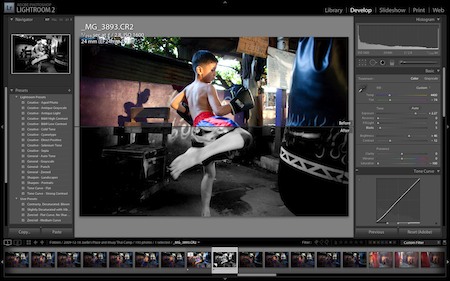
Dive right into the features that really matter in Lightroom as our expert share their real-world workflow from organising to processing to output in a hands-on and practical manner.
Most Hands-on Computer Training Course
We waste no time in getting your hands dirty with hands-on and practical exercises, you’ll be surprised how soon you’ll be working on Lightroom during the workshop. If you have a problem or question, we can solve and answer it on the spot for you right away. And we think this is the best way to learn Lightroom.
Get the Most Attention With the Least Bucks
Computer classes can be a little intimidating especially when you’ve to fight with your course mates for attention. That’s why our Practical Lightroom class is offered as a private workshop. You might find similar-looking workshops elsewhere cheaper, but you won’t find one that offers you as much attention as you can get from ours.
Learn the Stuff that Really Matters
We’re not going to go waste your time going through every single function and menu item in Lightroom. Instead, we’re going to zoom right into the stuff that really matters: the very same tips and tricks and workflow that we employ in our professional work that you can adapt right into your own.
Course Outline
- Photo importing and organising strategy
- Organising images with flags and rating
- Workflow to find and sort images quickly
- Sorting and organising with collections
- Customising Lightroom to work effectively
- Correct exposure and white balance
- Tinting images
- Cropping and straightening
- Fast batch editing of photos
- Tips and shortcuts to work quickly
- How to maximise working space
- Proper archiving and backup strategies
Course Requirements
Participants must bring their own laptop with the current version of Lightroom CC installed. A 7‑day trial is available from Adobe. Computers with Lightroom CC installed are available for rent at S$50 for the session.
 Laptop with Lightroom CC installed required for lesson. A 7‑day trial available from Adobe.